Object Properties
Learn how JavaScript objects store information using properties and how to access, update, and work with those properties.
What are Object Properties?
An object property is a piece of information stored inside a JavaScript object.
Each property has a name, also called a key, and a corresponding value.
For example, an object representing a student can have properties such as name, age, and course.
Key and Value
In an object, the property name acts as the key and the information stored in that property is its value.
Example: name: "Amit" means name is the property and "Amit" is its value.
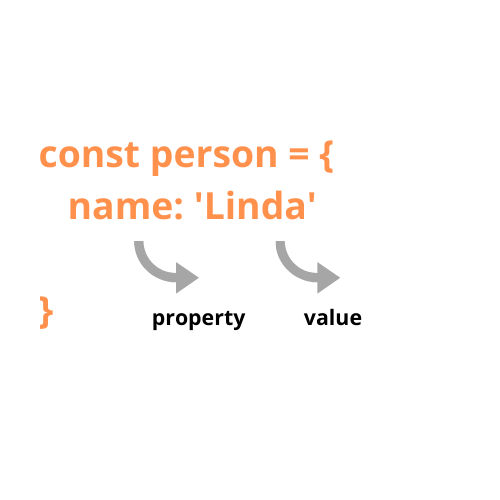
JavaScript objects store related information using property names and their corresponding values.
Example of Object Properties
Student Name
Stores the name of the student. Example: "Amit"
Student Age
Stores the age of the student. Example: 22
Course Name
Stores the name of the course. Example: "JavaScript"
City
Stores the student's city. Example: "Pune"
A JavaScript object contains properties, and each property connects a key with its corresponding value.
Example 1: Accessing Properties Using Dot Notation
We can use dot notation to access a property of an object. The object name is followed by a dot and the property name.
let student = {
    name: "Amit",
    age: 22,
    course: "JavaScript"
};

console.log(student.name);
console.log(student.age);Output: 22
Example 2: Accessing Properties Using Bracket Notation
We can also access object properties using square brackets. The property name is written inside quotation marks.
let student = {
    name: "Amit",
    course: "JavaScript"
};

console.log(student["name"]);
console.log(student["course"]);Output: JavaScript
Example 3: Updating an Object Property
Object properties can be changed after the object has been created. We can assign a new value to the property.
let student = {
    name: "Amit",
    age: 22
};

student.age = 23;

console.log(student.age);Example 4: Object.keys()
The Object.keys() method returns an array containing the property names of an object.
let student = {
    name: "Amit",
    age: 22,
    course: "JavaScript"
};

console.log(Object.keys(student));Important Note
Dot Notation and Bracket Notation
Dot notation is commonly used when the property name is known directly.
Bracket notation is useful when the property name needs to be accessed dynamically or contains characters that cannot be used with dot notation.
Summary
JavaScript object properties store information using key-value pairs. Properties can be accessed using dot notation or bracket notation, updated by assigning a new value, and listed using Object.keys().