Strings
Strings are used to store and work with text in JavaScript. They can contain letters, numbers, symbols, spaces, and other characters.
What is a String?
A string is a sequence of characters used to represent text in JavaScript.
Strings are written inside single quotes, double quotes, or backticks.
String Example
A string can contain a name, course name, city, message, or any other text.
Example: "JavaScript"
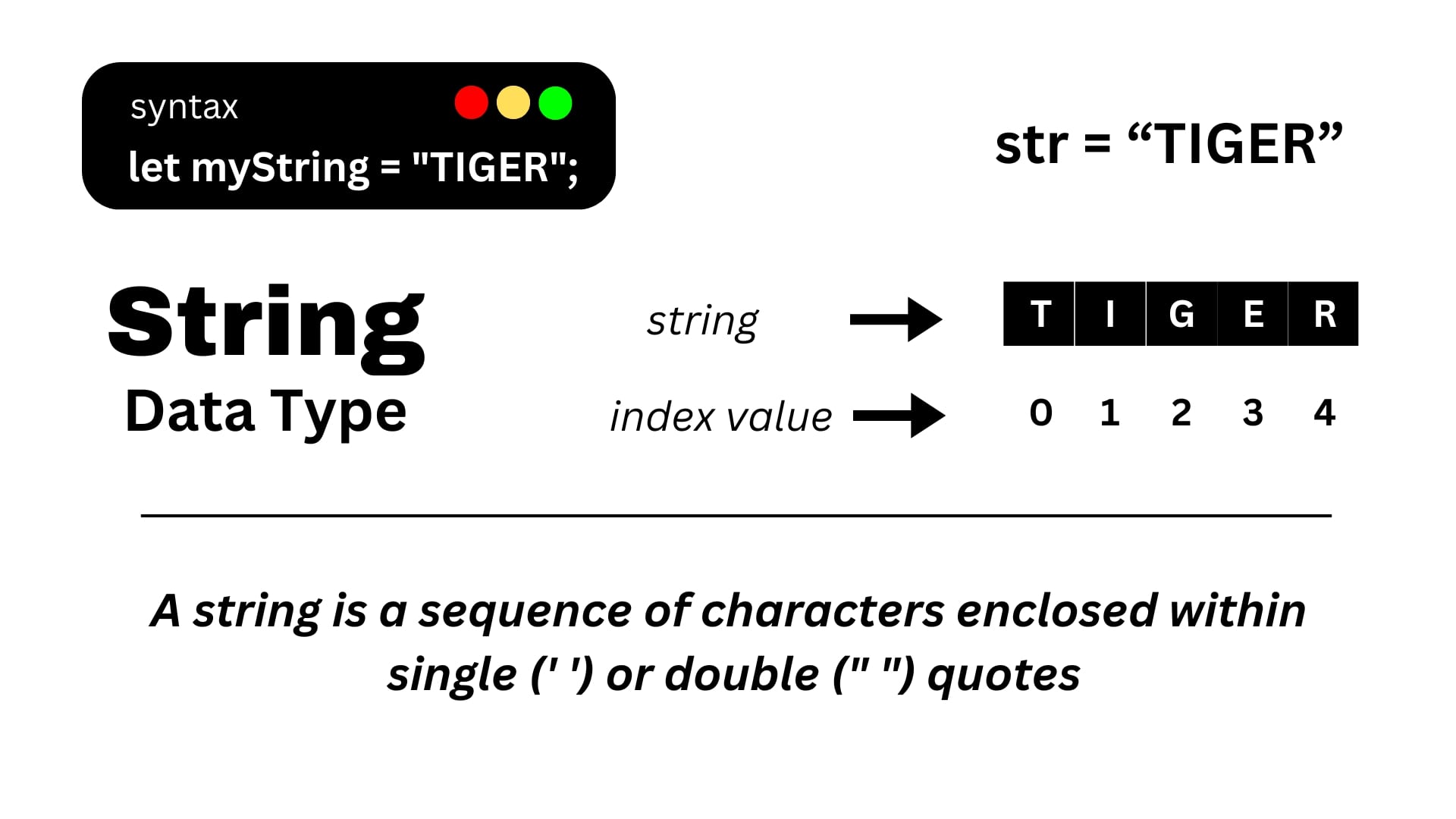
A JavaScript string contains characters arranged using zero-based index positions.
Important String Concepts
Store Text
Strings are commonly used to store text values such as names and messages.
Access Characters
Each character in a string has an index. The first character starts at index 0.
Count Characters
The length property tells us the length of a string.
Combine Strings
The plus operator can be used to combine two or more strings.
String Indexing
JavaScript uses zero-based indexing, so the first character is at index 0.
Example 1: Creating a String
We can create a string by assigning text inside quotation marks to a variable.
let course = "JavaScript";

console.log(course);Example 2: Accessing a Character
We can access an individual character of a string using its index position.
let course = "JavaScript";

console.log(course[0]);
console.log(course[4]);S
Example 3: Finding String Length
The length property returns the length of a string.
let course = "JavaScript";

console.log(course.length);Example 4: Combining Strings
The + operator can be used to combine two strings.
let firstName = "CIIT";
let course = "JavaScript";

let message = firstName + " " + course;

console.log(message);Summary
Strings are used to represent text in JavaScript. Characters can be accessed using index positions, the length property can be used to find string length, and the + operator can be used to combine strings.