Parameters & Arguments
Learn how functions receive input values using parameters and arguments in JavaScript.
What are Parameters and Arguments?
A function can receive data from the code that calls it. This allows the same function to work with different values.
Parameters are the variable names written in the function definition. Arguments are the actual values passed to the function when it is called.
For example, in greetStudent(studentName), studentName is a parameter. In greetStudent("Gauri"), "Gauri" is the argument.
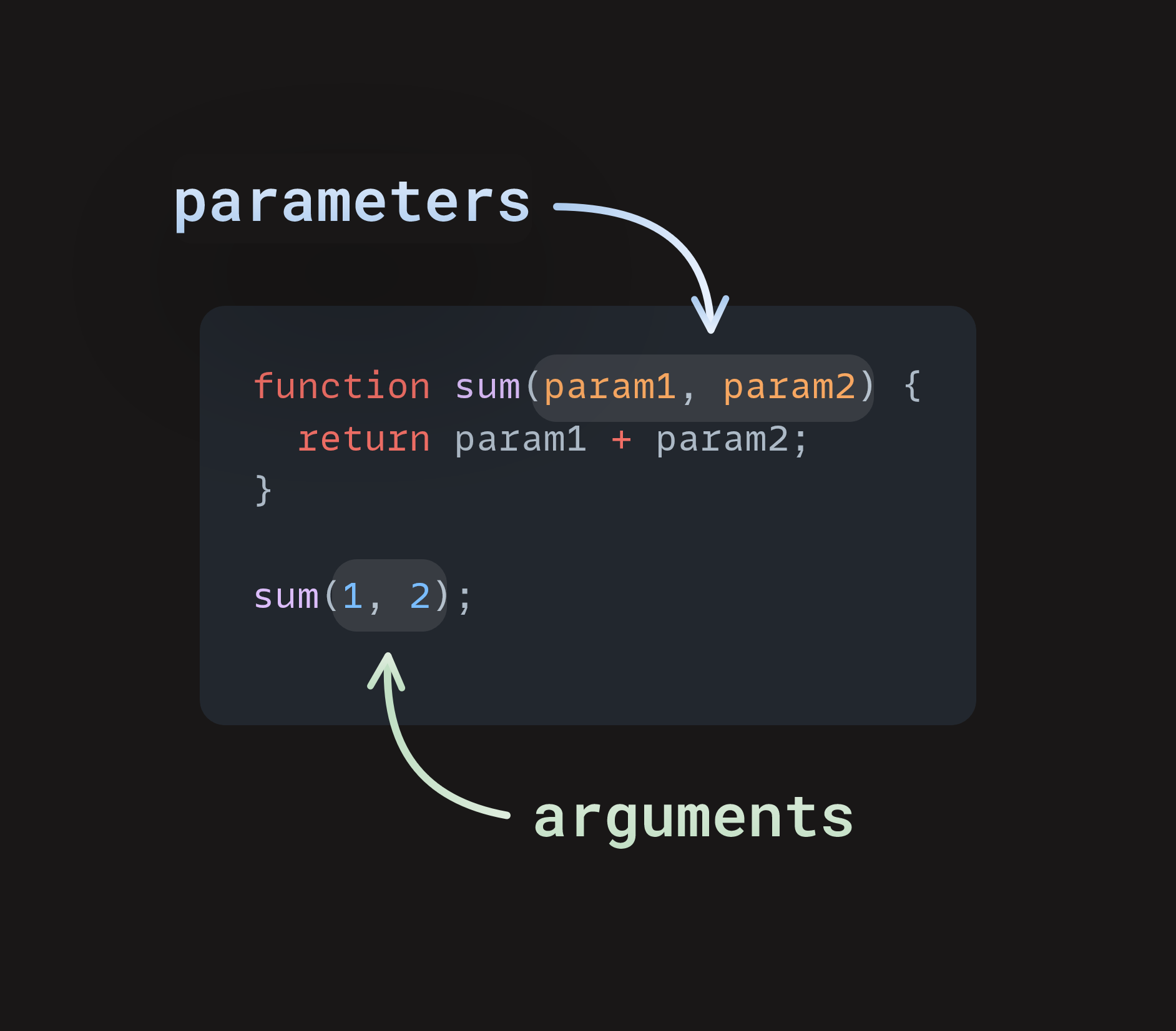
Parameters are placeholders in a function definition, while arguments are the actual values passed during the function call.
Parameters vs Arguments
Parameters
Parameters are variables listed inside the function definition.
function greet(name)Arguments
Arguments are the actual values supplied when the function is called.
greet("Gauri")Basic Syntax
function greetStudent(studentName) {
    console.log("Hello, " + studentName);
}

greetStudent("Gauri");
How Parameters and Arguments Work
Example 1: Passing One Argument
In this example, the parameter studentName is used to receive a name. When the function is called, the argument "Gauri" is assigned to that parameter.
function greetStudent(studentName) {
    console.log("Hello, " + studentName);
    console.log("Welcome to JavaScript!");
}

greetStudent("Gauri");Output
Welcome to JavaScript!
Example 2: Passing Multiple Arguments
A function can have more than one parameter. Each parameter receives the corresponding argument supplied during the function call.
function calculateTotal(price, quantity) {
    const total = price * quantity;

    console.log("Price:", price);
    console.log("Quantity:", quantity);
    console.log("Total:", total);
}

calculateTotal(500, 3);Output
Quantity: 3
Total: 1500
Important Note
Parameter and Argument are not the same
A parameter is the variable declared in the function definition.
An argument is the actual value passed during the function call.
For example: function add(a, b) contains parameters a and b, while add(10, 20) passes the arguments 10 and 20.
Multiple Parameters
JavaScript functions can accept multiple parameters. The arguments are matched to the parameters according to their position in the function call.
Example
In calculateTotal(500, 3), 500 goes to the price parameter and 3 goes to the quantity parameter.
Summary
Parameters are variables defined in a function, while arguments are the actual values passed when the function is called. A function can accept one or multiple parameters, allowing the same function to work with different input values.